
Automatic protection
Block spam, links and flood with your rules. Keep it on all day or only during the live.
Facebook & Instagram · elite live protection
LiveGuard is advanced security for Facebook and Instagram stores: cuts spam and scams, blocks fake profiles, protects Messenger and concentrates operations in a professional console: built to protect, not to sell.
Features
From the live chat to Messenger and Meta page health. Below are real console screenshots.
Block spam, links and flood with your rules. Keep it on all day or only during the live.
Live comments, blocks and official warnings from one professional console.
Track blocks, critical alerts and live status without leaving the console.
Inbox anti-scam: detect MB Way requests and fake profiles in private messages.
Serious attacks trigger a red screen, siren and public warning in the live chat.
Compact phone screen: threats to review, quick warnings and security shortcuts.
See if the page can advertise, publish and receive messages: before spending on ads.
Fake profiles shared across LiveGuard stores: one report protects the network.
Periodic protection, security best practices and greeting replies: all editable.
Comment and message protection on Facebook and Instagram.
Open a ticket or chat and talk to us inside the console.
Email on relevant threats. Report and PDF at the end of the day or live.
Software
Every area is designed for the store protection team: detect, block and warn without leaving the app.
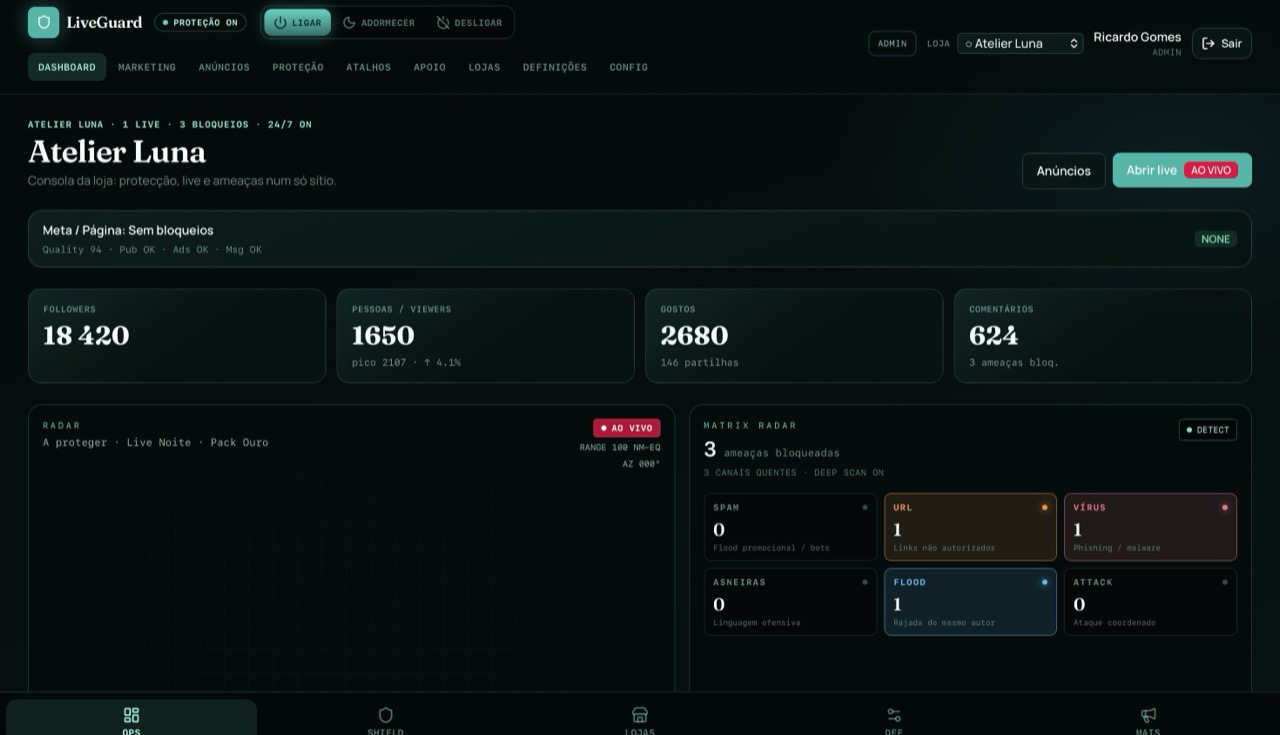
Dashboard
Protection on, live in progress, viewers and threats: the essentials in one place.
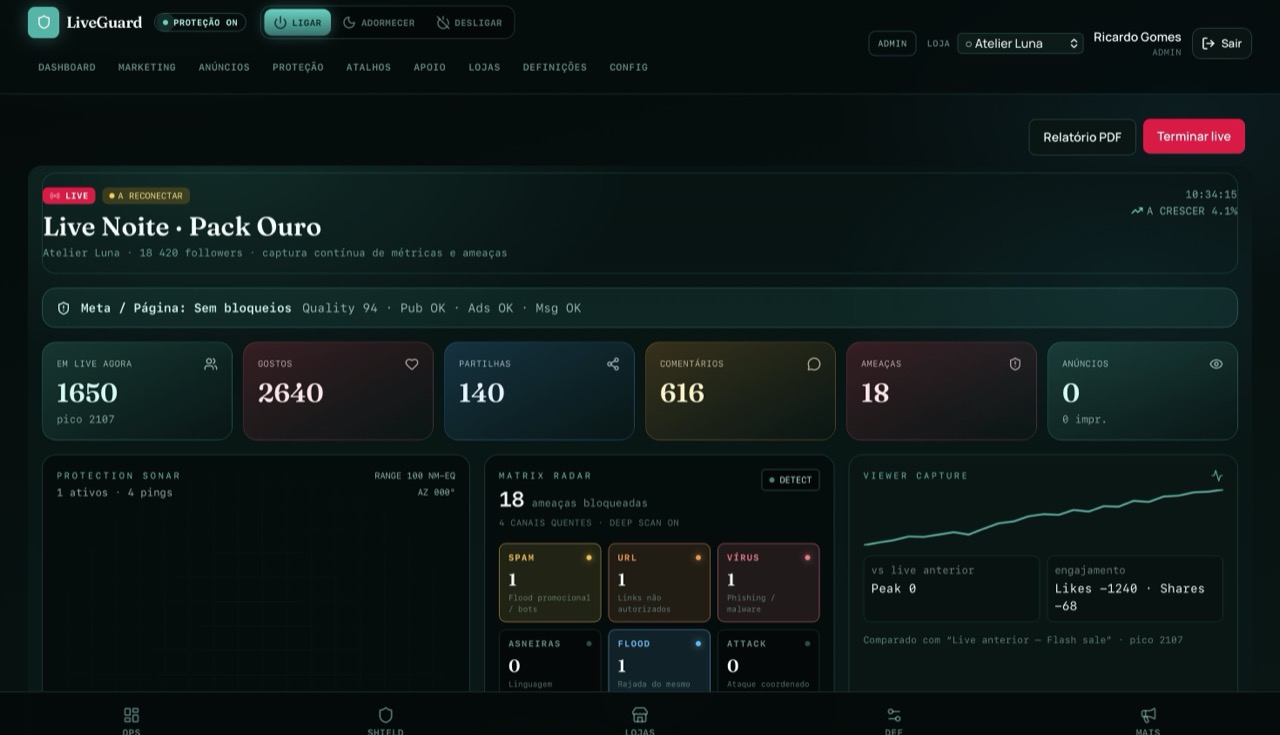
Live console
Comments arrive in the app in real time. Block threats, reply and send messages to the live without jumping to Facebook.
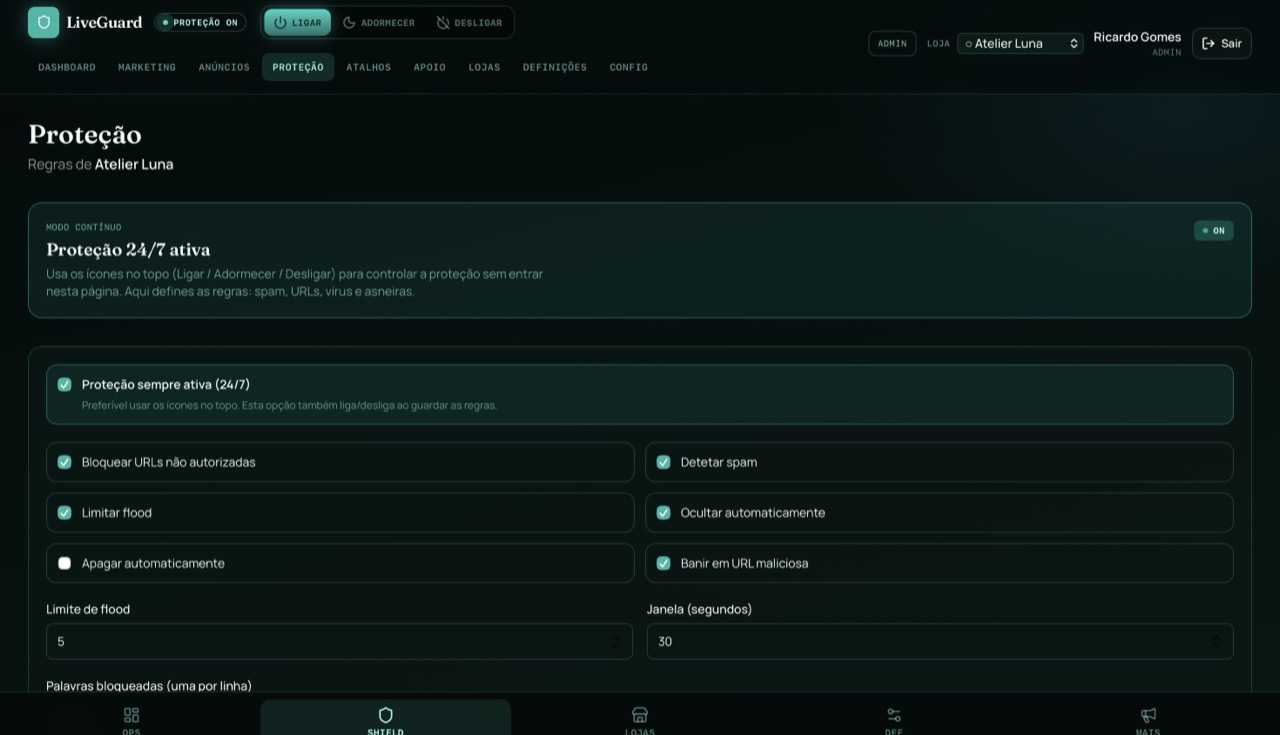
Protection
Define what to block: links, spam, flood, words. Protection can stay on all day or only during the live.
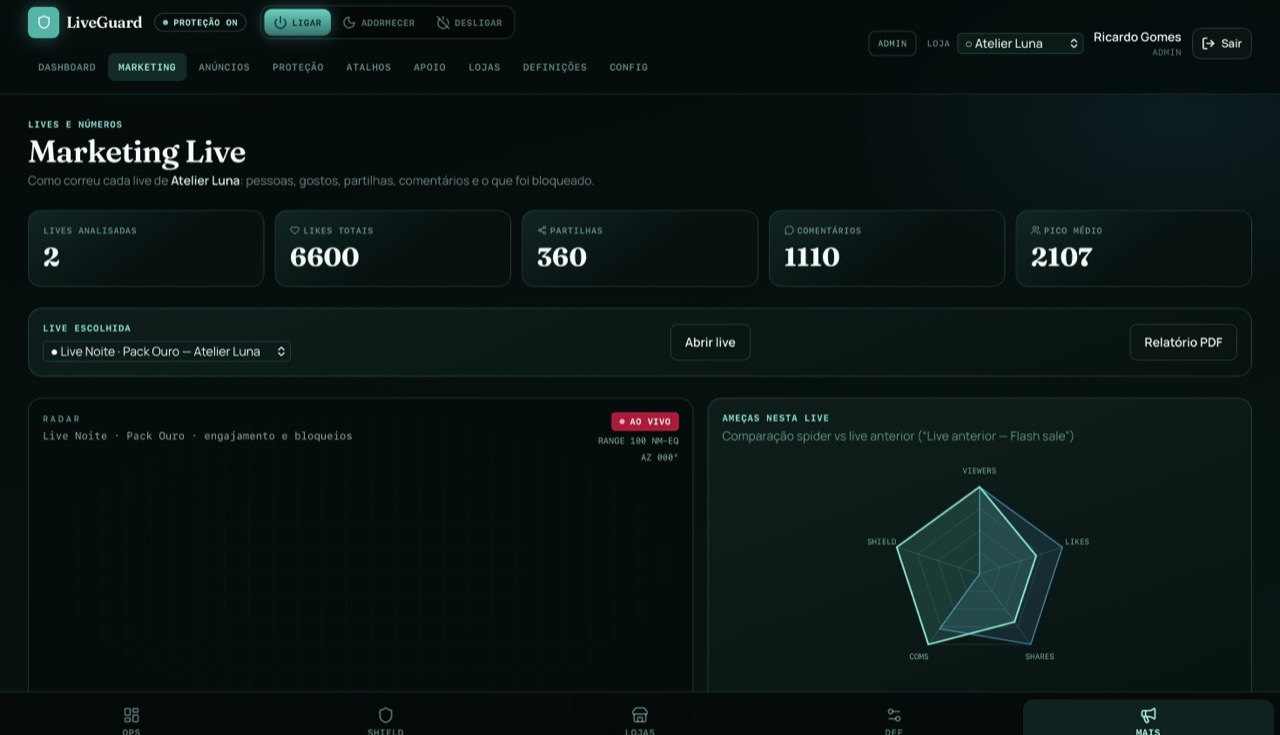
Marketing
Likes, shares, comments and blocks per live, so you can see what worked and what failed.
Ads
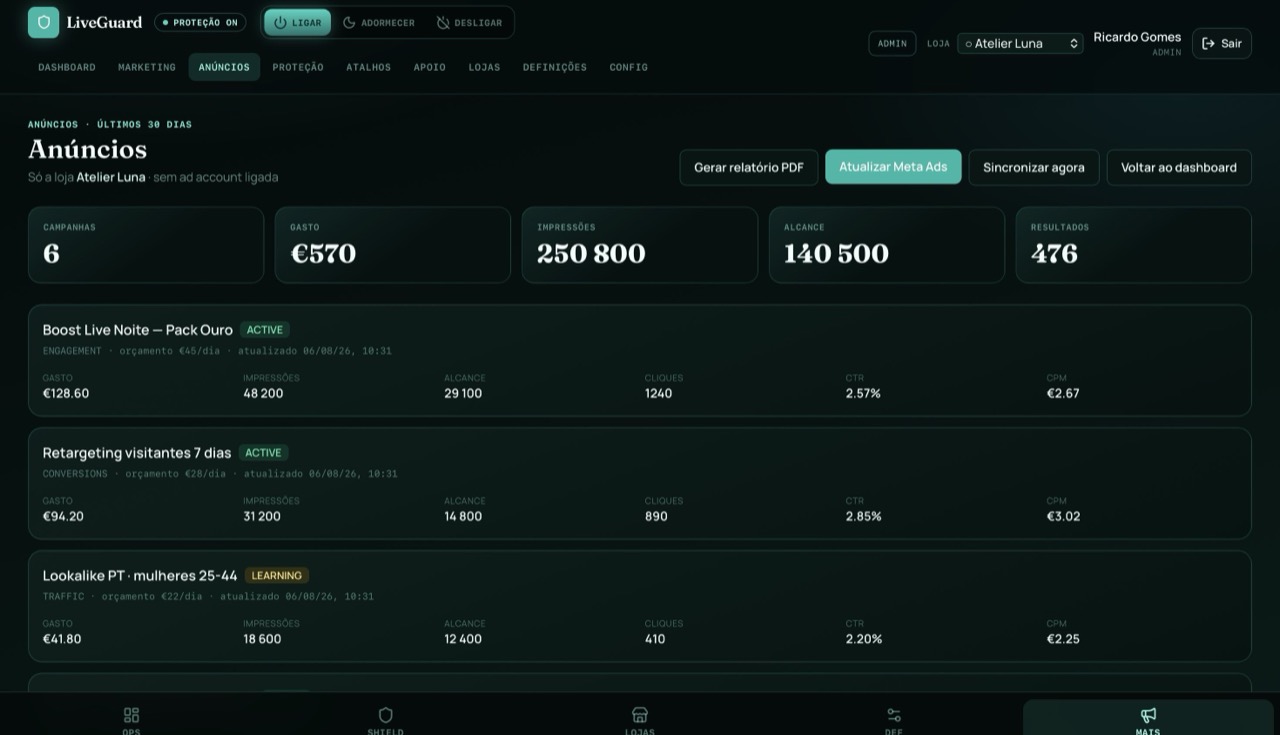
Campaigns with spend, reach, clicks and CTR, together with what happened on the live.
Shortcuts
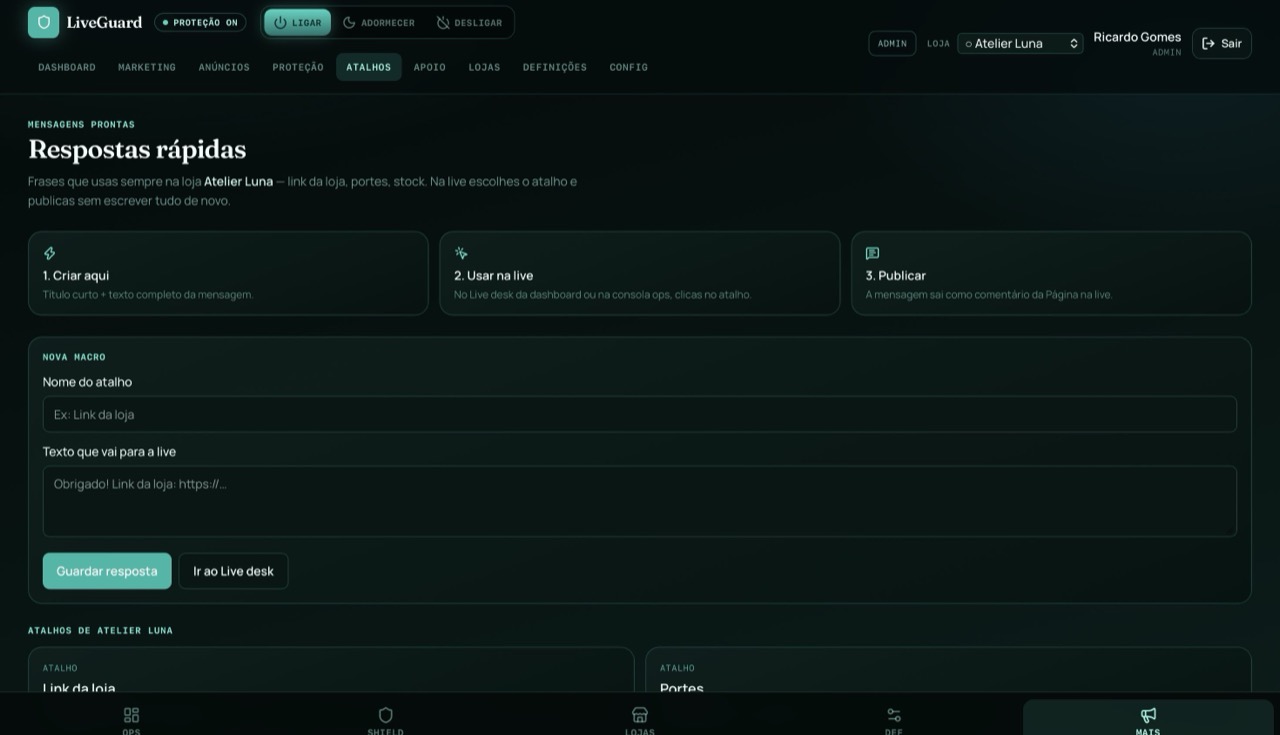
Save shipping replies, store link or stock and post to the live with one click.
Support
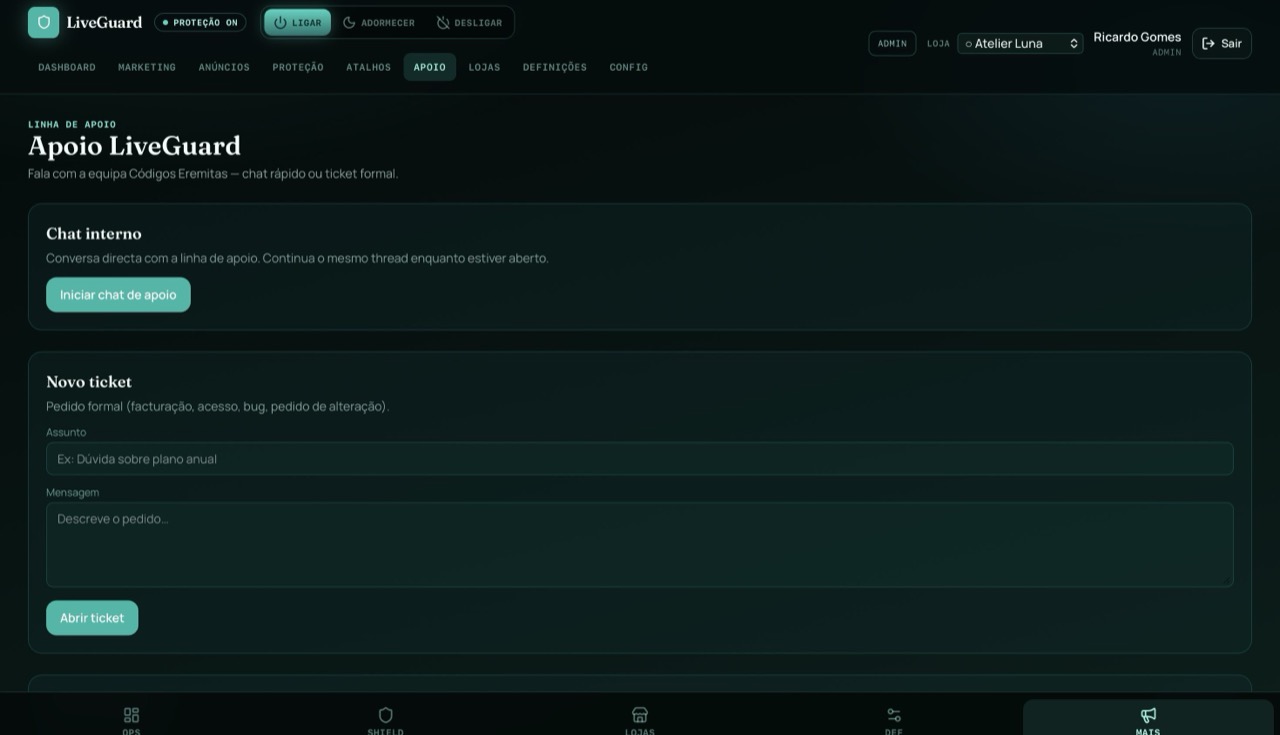
Open a ticket or chat and speak with the team inside the console.
Settings
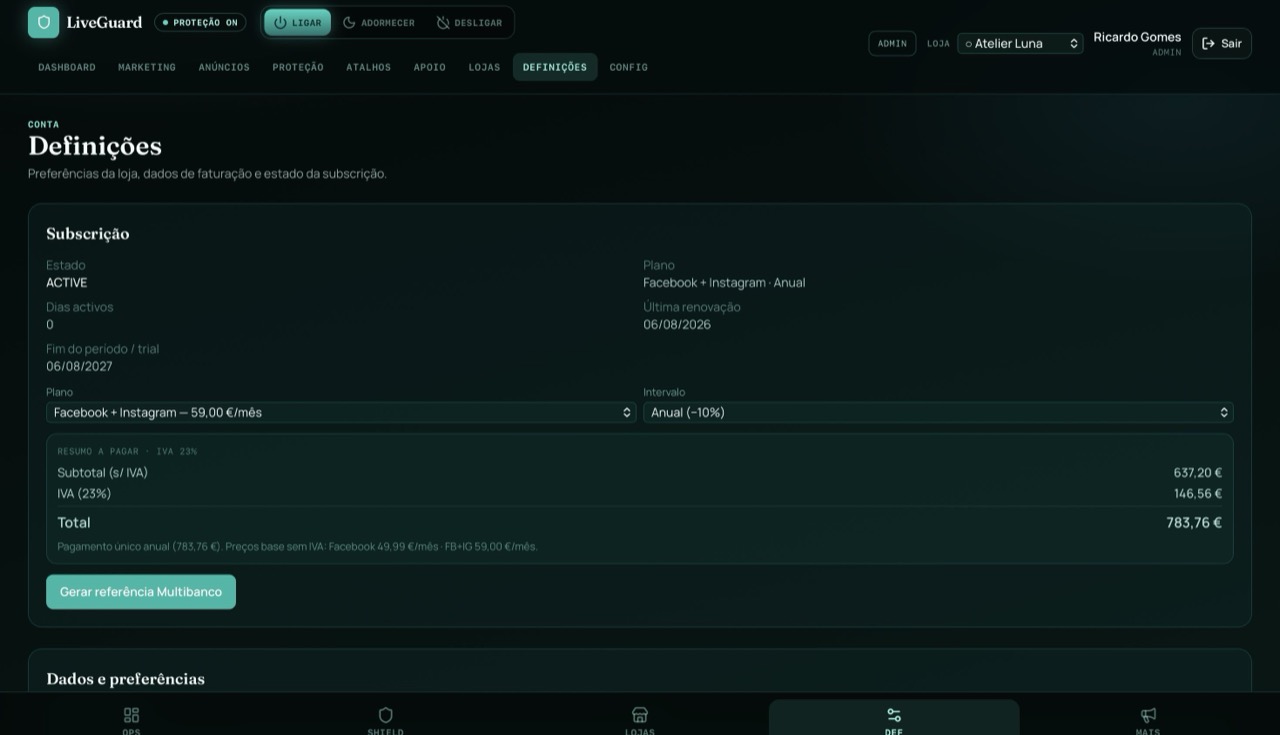
Store details, password, monthly or yearly plan and Multibanco reference.
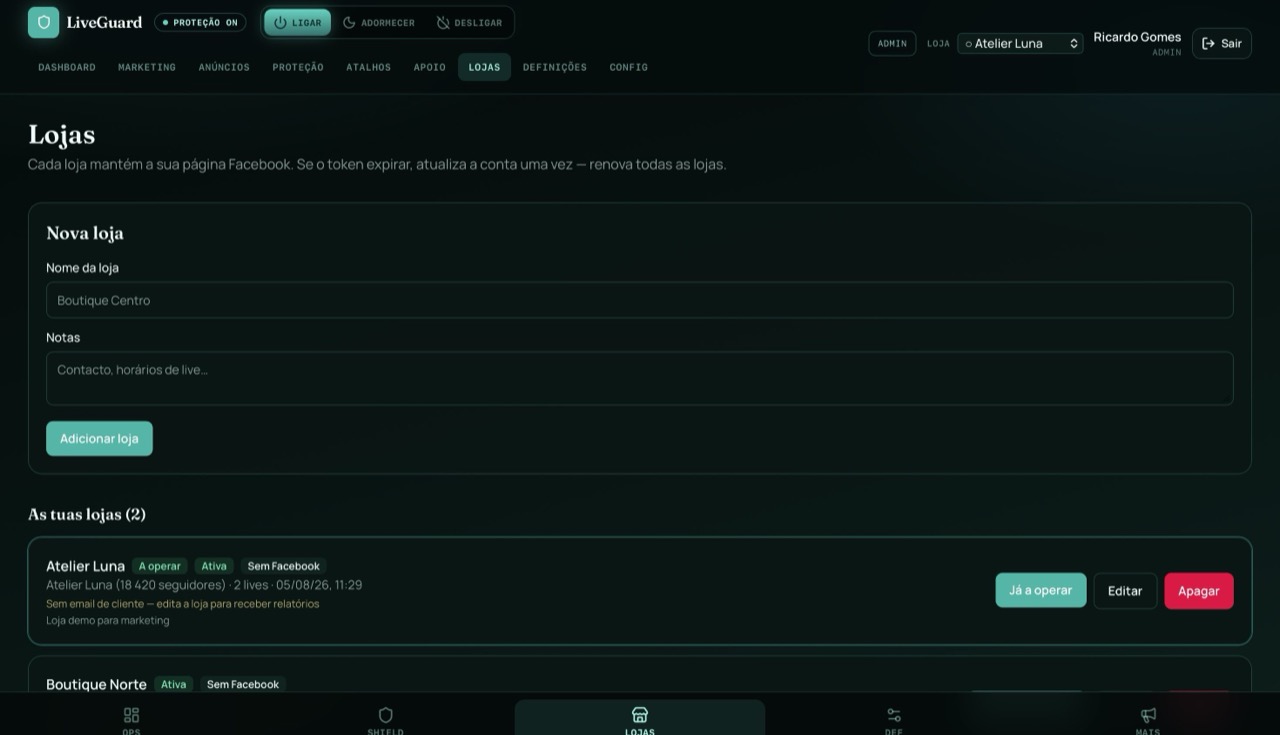
Stores
Connect Facebook pages and switch stores without leaving LiveGuard.
How it works
7 days to try, no card required.
Facebook and, on the full plan, Instagram too, with your Meta login.
Links, spam, flood, words and automatic bans.
The live runs. LiveGuard protects the chat and the page.
Who it is for
LiveGuard is security software for livestreams and pages on Facebook and Instagram: moderation, anti-scam and protection ops in one professional console.
Stop spam, dangerous links, fake profiles and chat attacks: without deleting comments by hand.
It is not a sales tool or an agency. It does not manage the page for you. It specialises in protecting the live and the store's reputation.
Plans
Facebook alone, or Facebook with Instagram. Pay by Multibanco. Yearly plans get 10% off.
Protection and console for Facebook lives.
49,99 €/mo
Recommended
The same tools, with Instagram included.
59,00 €/mo
7-day trial · No card · Multibanco in the store area
FAQ
You get 7 free days. If it works for you, activate the plan with Multibanco and continue.